
Category: IT Management
-

Article Summary: Every employee should use their own account wherever the software allows it. Individual accounts let you control permissions, use MFA properly, remove access when someone leaves, and see who performed each action. If a shared password cannot be avoided, store it in a business password manager, limit who can use it, and change…
-

Article Summary: Confirm that the notice is genuine, then ask whether your business was affected, what information was exposed, when the breach happened, and whether any passwords, access tokens, or connected systems need attention. Keep written records of the vendor’s answers and involve your IT provider, insurer, or legal adviser when needed. You’ve just found…
-

Article Summary: Your business should control the account where its domain is registered. The registration details, recovery methods, billing information, renewal settings, and DNS access should not depend on one employee, contractor, web designer, or IT provider. Once your website and email are working, the domain name rarely needs day-to-day attention. Renewal may happen automatically,…
-

Summary: Changing the password blocks someone from signing in with the old password. However, they may still have an active session, a forwarding rule, access through a connected app, mailbox permissions, or a recovery method they added. When someone gets into a business email account, changing the password should happen immediately. Once that is done,…
-
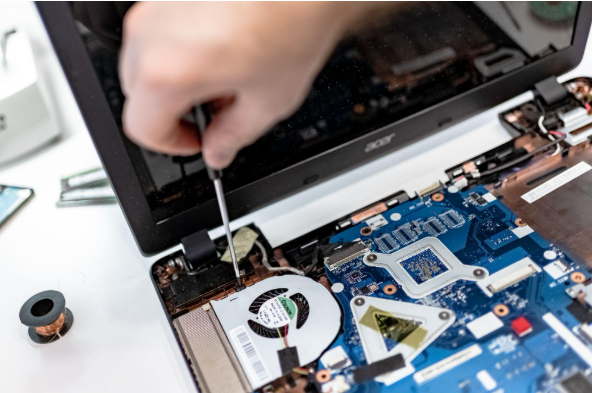
Summary: Three to five years is a practical replacement range for many business computers. The right time depends on security support, reliability, performance, warranty coverage, repair costs, and the employee’s work. Replace any computer that cannot run a supported operating system or the software your business requires. Most business computers do not fail all at…
-

Summary: Your IT budget should include the technology you already use, the support required to maintain it, and the upgrades you expect to make during the year. It should also cover cybersecurity, backups, employee changes, planned projects, and a reserve for urgent repairs or replacements. If your IT budget only covers computers, Microsoft 365, and…
-
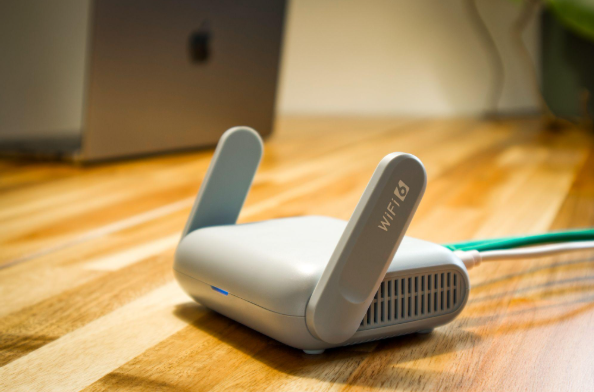
Summary: Guest Wi-Fi should provide internet access while blocking connections to your internal business network. A different Wi-Fi name and password do not confirm that the networks are separated. The router, access points, and firewall must also be configured to prevent guest devices from reaching internal systems. Offering Wi-Fi to customers, contractors, and visitors is…
-

Summary: Before canceling a cloud service, export your data and confirm that the files can be opened or imported. Move any connected applications and sign-ins, then check the provider’s current rules for access, billing, retention, and deletion. A cloud service may hold years of customer records, documents, emails, invoices, project history, or staff activity. If…
-

Summary: Allow personal devices only for approved work, through approved apps, and when the device meets your security requirements. Use company-owned devices for administration, sensitive work, or jobs that require large amounts of data to be stored locally. Employees often use personal devices for work before the business has made a decision about it. They…
-

Summary: Employees should use standard accounts for email, web browsing, and everyday work. Administrator access should be limited to approved IT tasks and protected with a separate account. Administrator access often starts with one request. An employee needs to install a printer, update a specialist program, or change a setting on their computer. Giving them…
Search
Latest Posts
- Why Shared Logins Are a Security Risk for Your Business
- What to Ask a Software Vendor AfterThey Report a Data Breach
- How to Make Sure Your Business Owns Its Domain Name
- How Hackers Keep Access to Your Email After You Change the Password
- How Long Business Computers Last and When to Replace Them
Categories
- AI
- Business
- Business Continuity
- Cloud
- Cybersecurity
- IT Management
- Microsoft
- New Technology
- Online Presence
- Productivity
- Uncategorized
- Working from Home